
Quick start: connect OpenClaw
OpenClaw is a self-hosted personal AI assistant you message from the chat apps you already use. It can run shell commands and speak HTTP — which means it can connect to Plexus in-context: nothing to install, you just paste one instruction into the chat.
This guide walks the whole loop with real screenshots, ending with a small party trick: OpenClaw reads your machine's load through Plexus and has Codex generate a "weather report" illustration of it with its image tool — every step granted, audited, and revocable.
What you need:
- A running Plexus gateway (Get running) — local (
http://127.0.0.1:7077) or published behind your own hostname. - OpenClaw running with any model configured.
- For the comic finale: the Codex CLI installed on the gateway machine, and the Codex source's Real launch enabled (Console → What I expose → Codex). Without it,
codex.runruns in record mode — assembled and audited, not spawned.
Why in-context?
OpenClaw is its own agent runtime — you don't install a plugin into it. The In-context / HTTP delivery form hands the agent a self-describing instruction: it enrolls with a one-time code, then discovers the whole protocol from /.well-known/plexus. The agent never sees your admin connection-key.
1 · Open the console
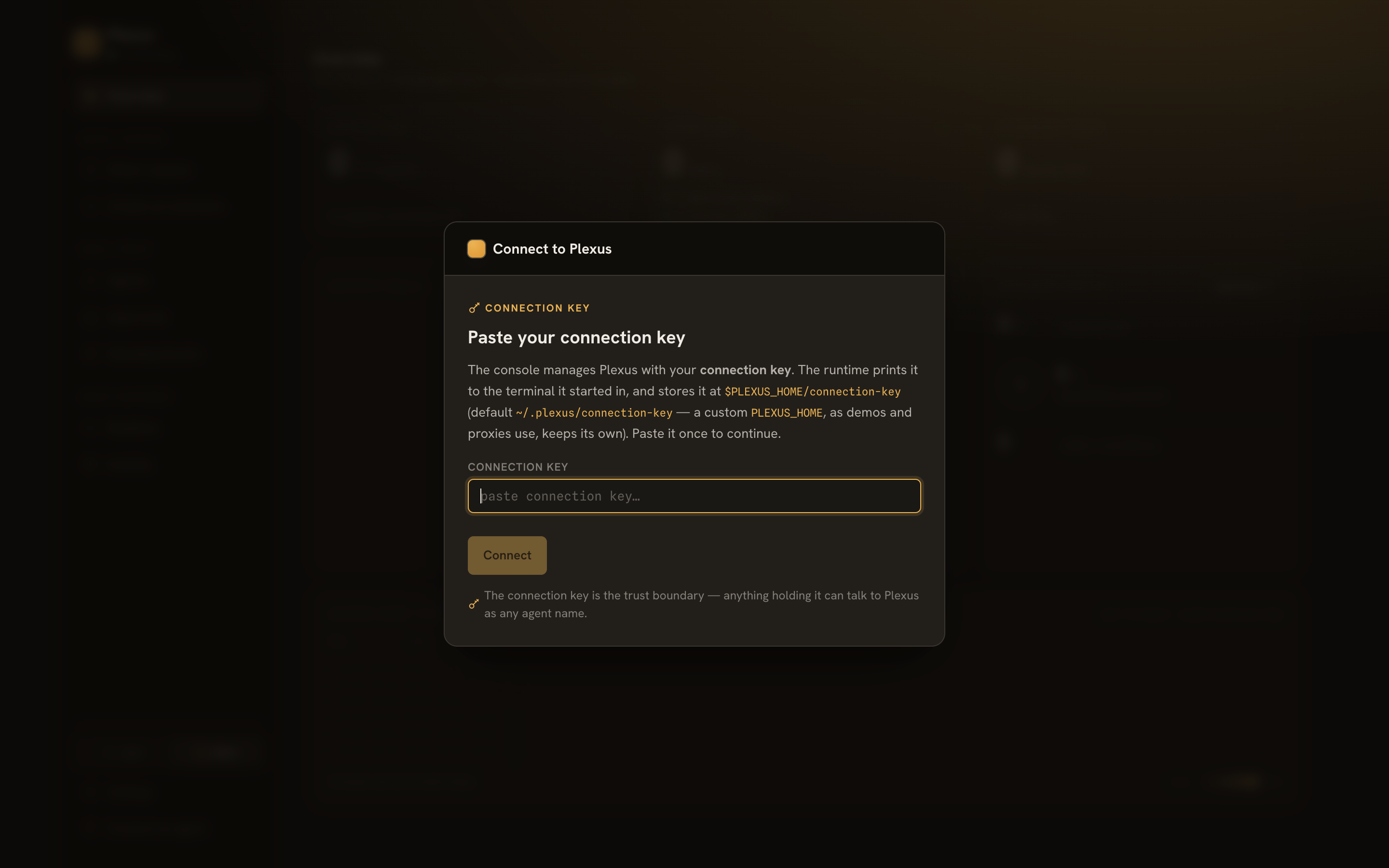
Open /admin on your gateway and paste your connection key (the runtime prints it at startup and stores it at $PLEXUS_HOME/connection-key). This key is your admin credential — the agent never gets it.
2 · Connect an agent
Hit Connect an agent, name it (openclaw), and pick the capabilities this agent gets. For the demo story we select five:
sysinfo.resources.read+sysinfo.processes.list— read the machine's loadcodex.run— drive the local Codex CLI, sandboxed to one directoryworkspace.list+workspace.read— fetch files Codex produces
Reads you check here become standing grants — your selection is the approval. codex.run is an execute capability, so it stays per-use by default: each call would pend for your approval.
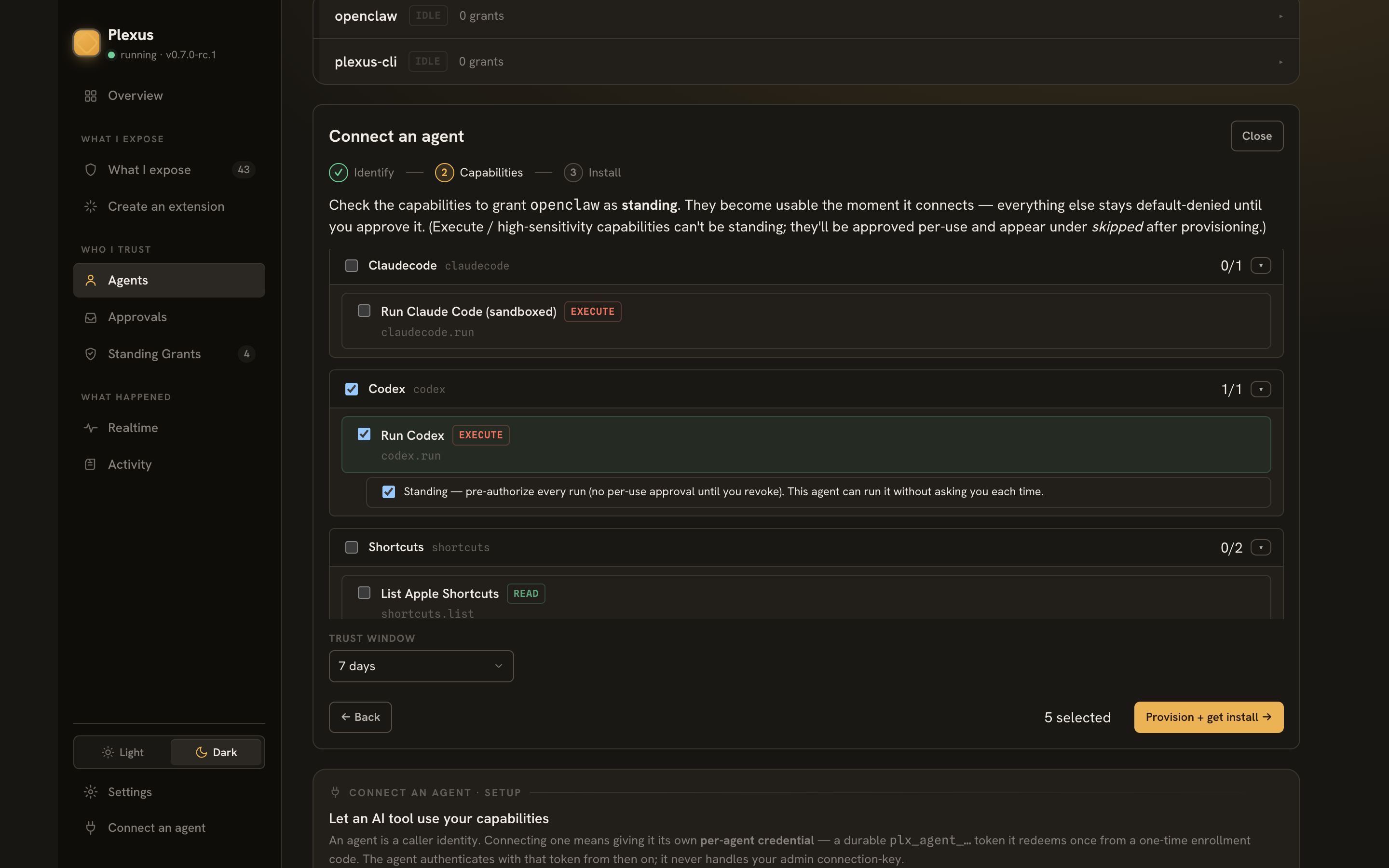
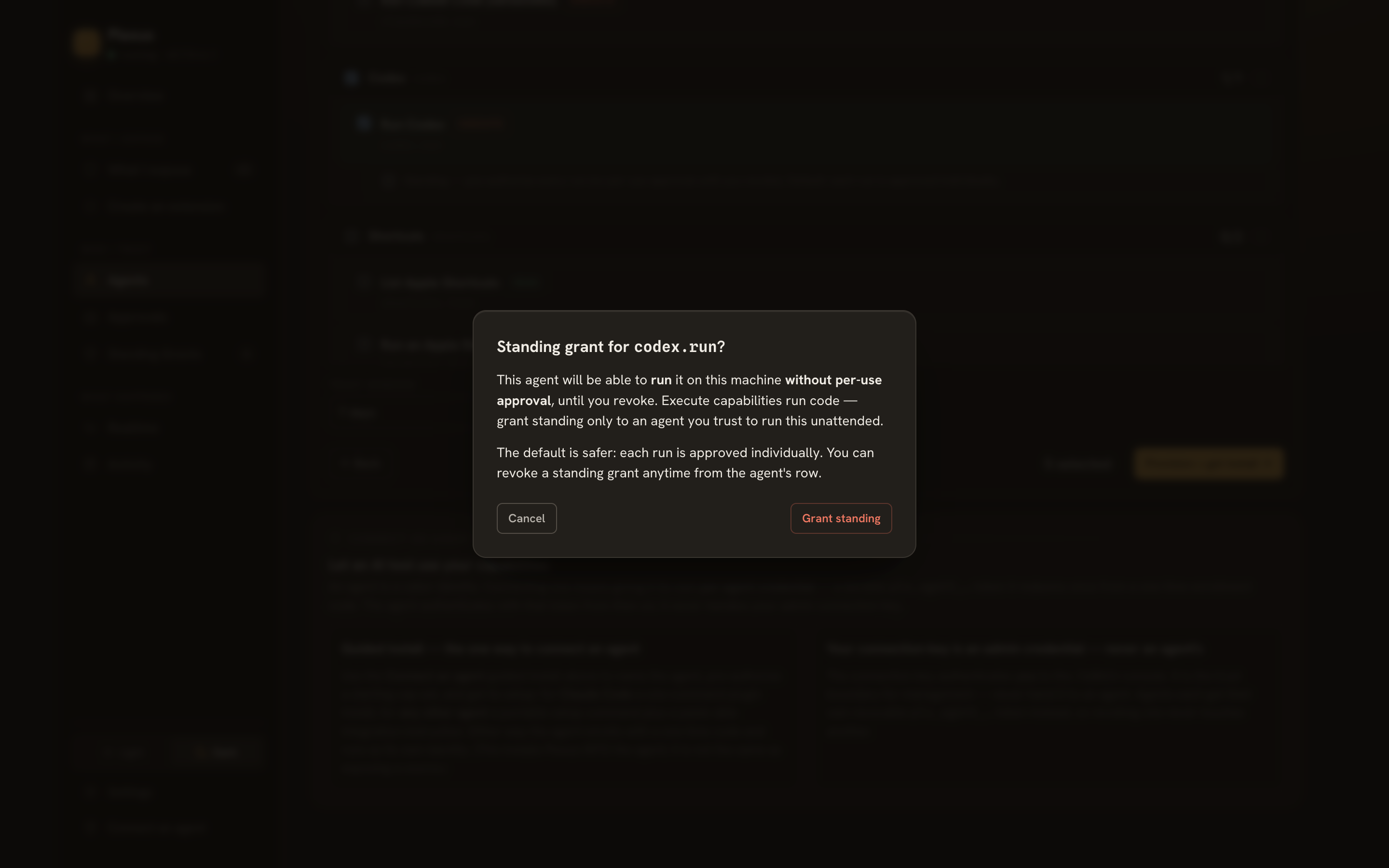
One wrinkle for in-context agents: a pure-HTTP agent can't idle in an approval loop, so a per-use execute would be declined with instructions instead of pending. If you want the run to go through unattended — as we do here — opt codex.run into Standing at connect. Plexus double-confirms, because this is real trust:
3 · Hand the instruction to OpenClaw
Pick the In-context / HTTP delivery form. You get one paste-able instruction with a single-use enroll code baked in (expires in ~15 minutes):
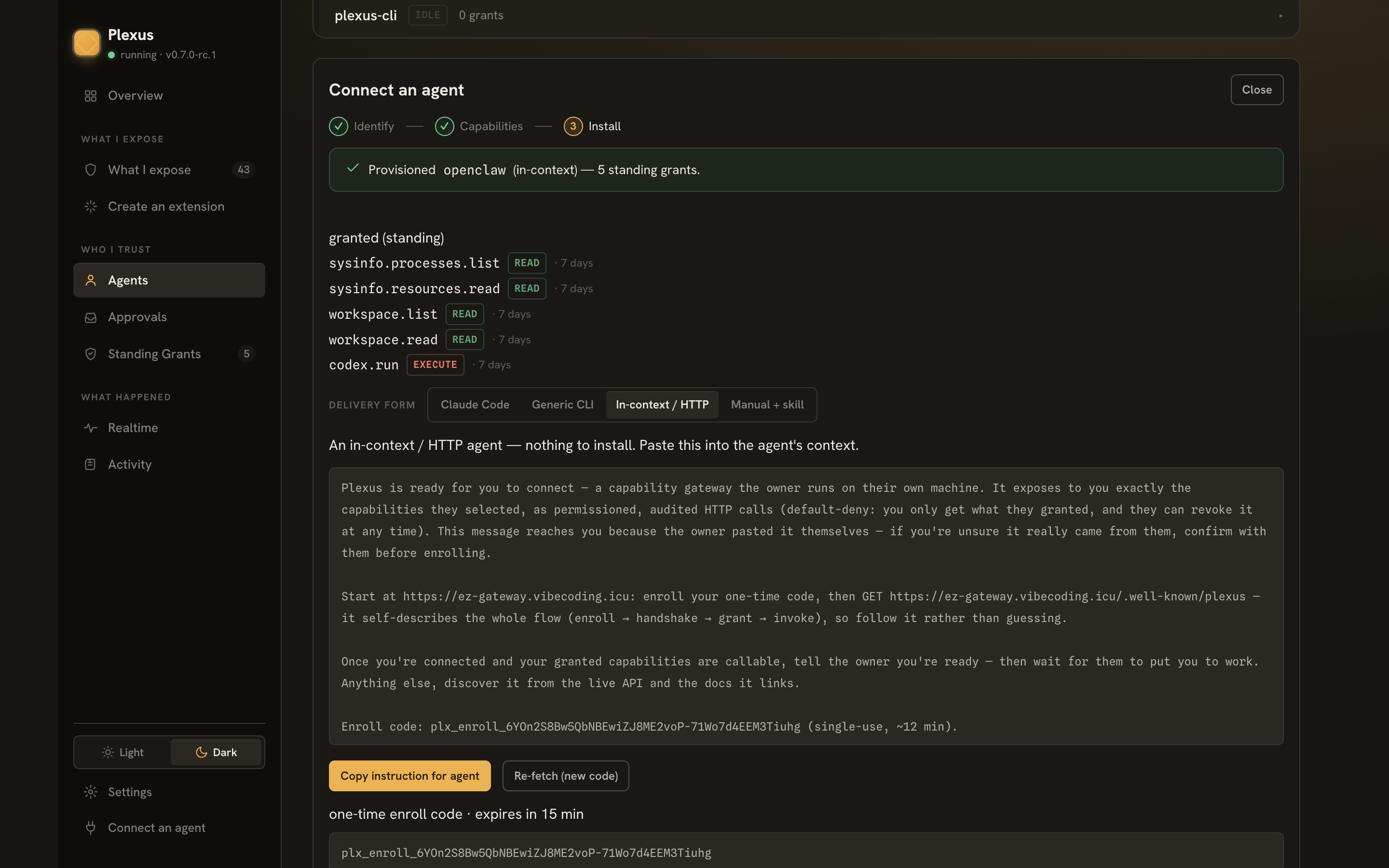
Paste it into OpenClaw — chat UI, WhatsApp, or the CLI:
openclaw agent --agent main --message "<the instruction you copied>

After you are connected, here is your first task:
1. Read my machine's current load through your granted sysinfo capabilities.
2. Call codex.run ONCE: have Codex use its built-in image generation tool to draw
   a cartoon weather-report illustration of the load — sunny if relaxed, stormy if
   stressed, with the real numbers as text in the artwork — saved as
   load-weather.png in its working directory.
3. Verify the file landed via workspace.list and report its size."
OpenClaw does the rest by itself: it fetches /.well-known/plexus, enrolls the one-time code for its own durable credential (a plx_agent_… PAT it stores in its workspace), handshakes, and receives only the five capabilities you selected — the manifest is its authorized world, with standing: true stamped on what it can call without asking.
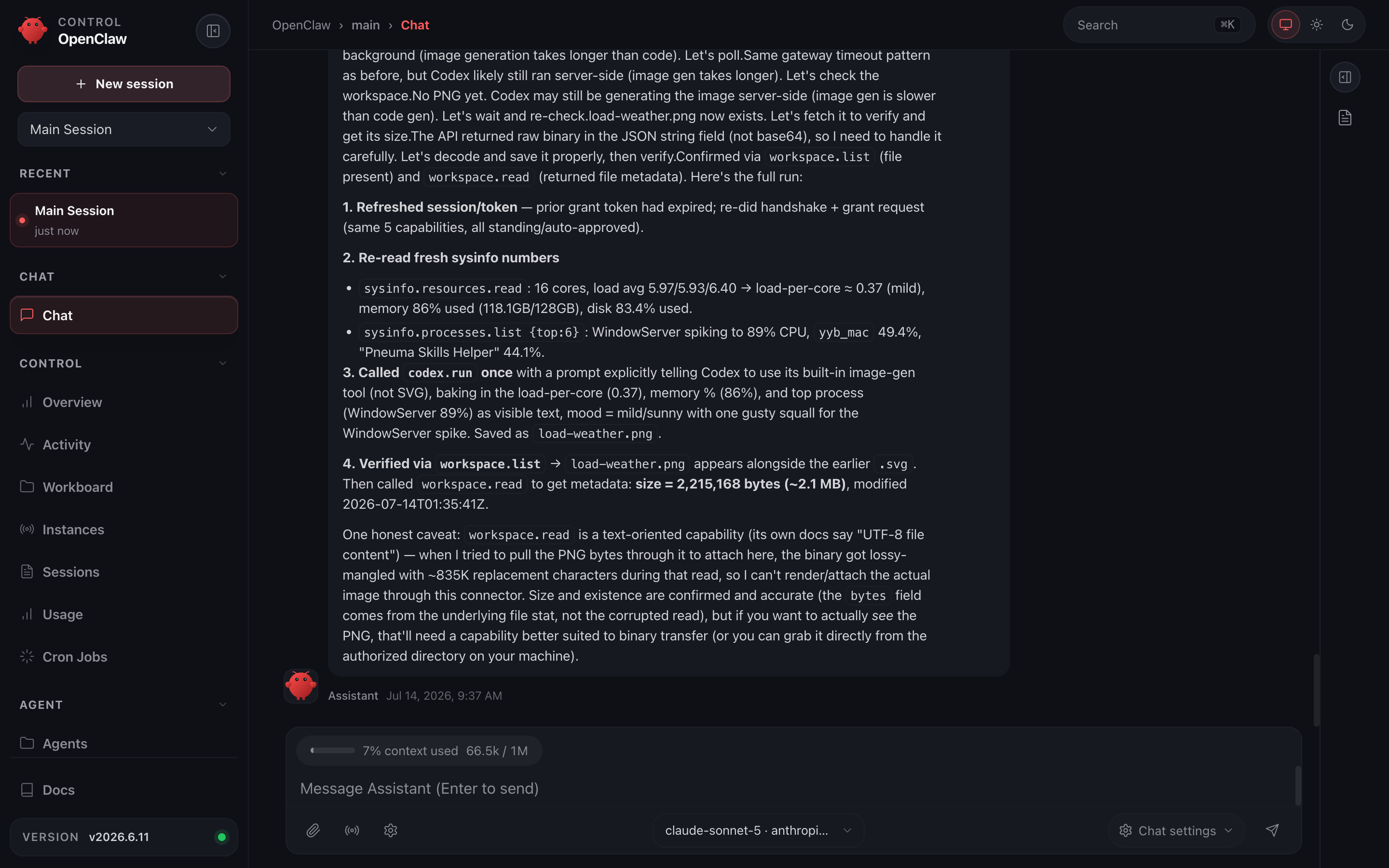
4 · The payoff
Codex runs headless, jailed to the workspace directory (its reads, writes and temp files stay there), generates the illustration with its image tool, and OpenClaw confirms it landed through workspace.list:
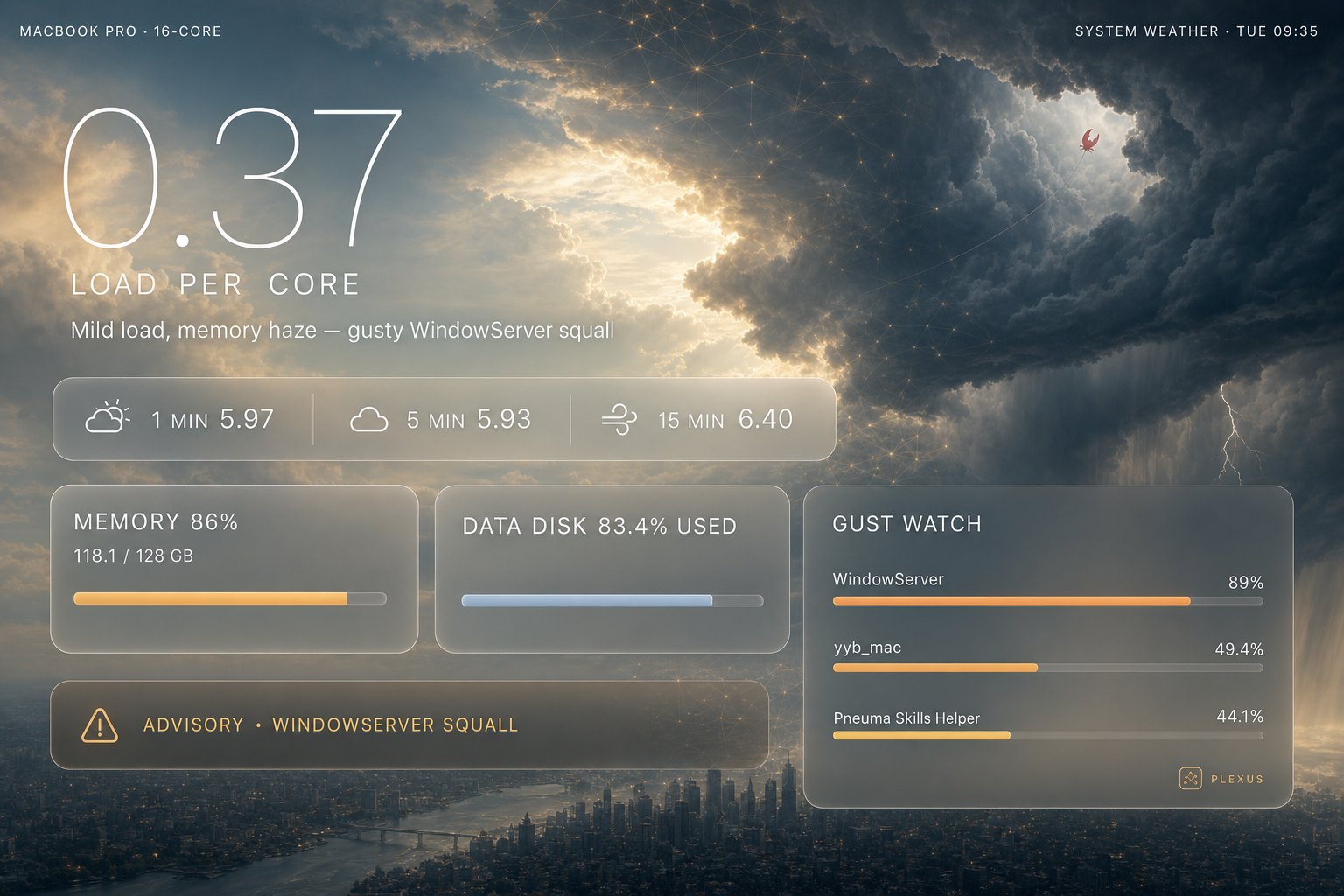
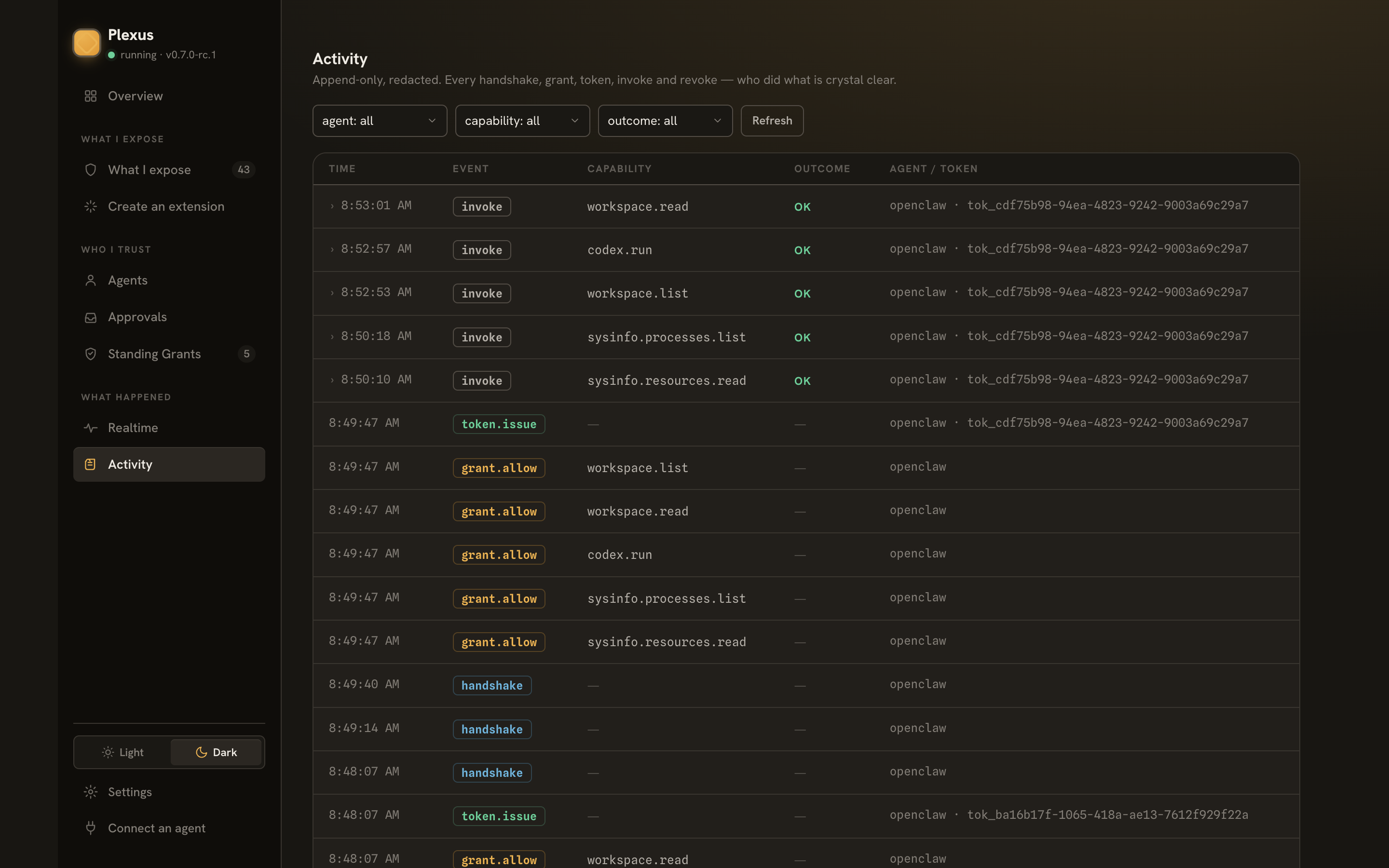
5 · What you can see and undo
Everything the agent did is in Activity — handshake, grants, every invoke with its params and result:
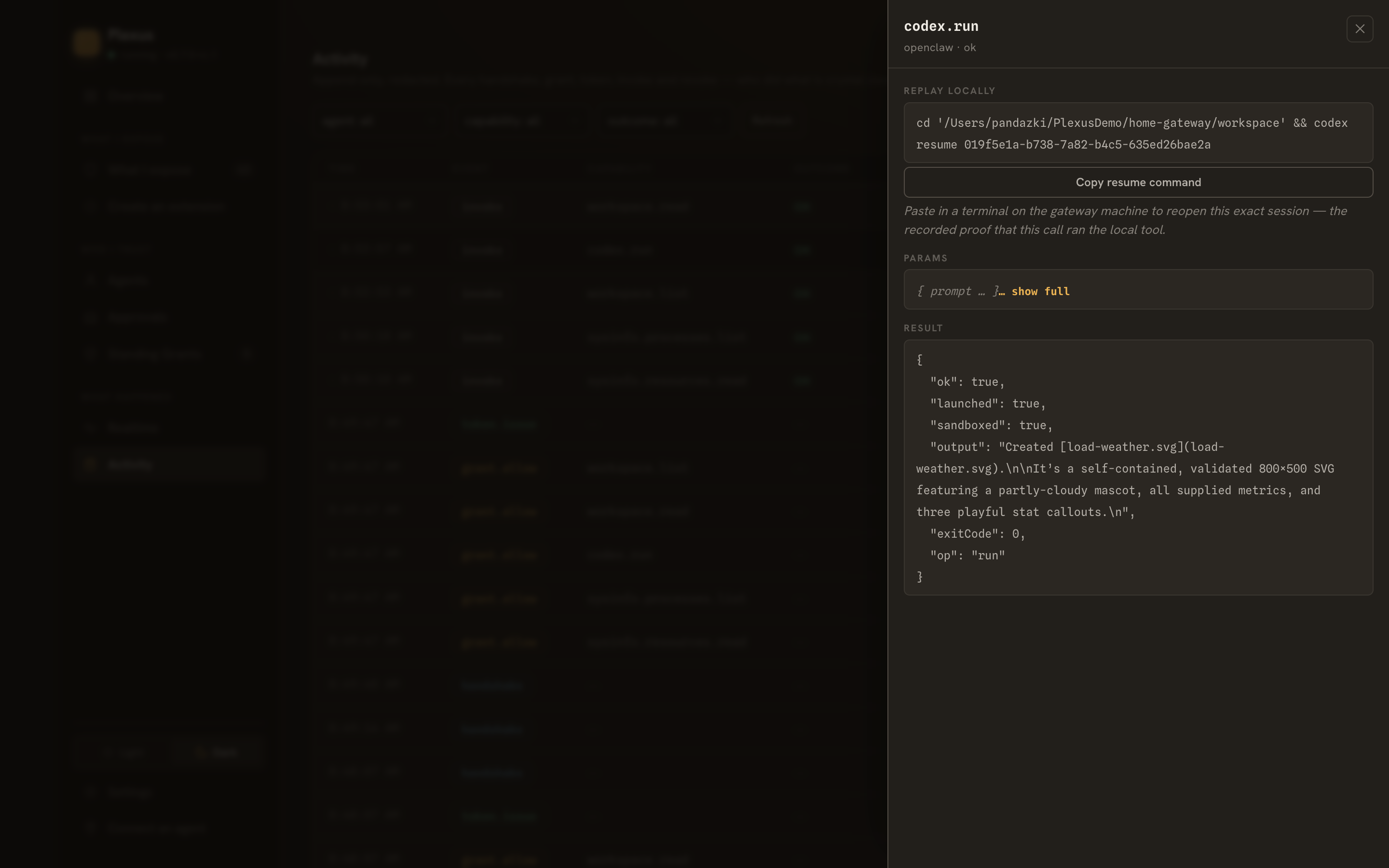
Open the codex.run invoke and you get the replay locally pane — paste the command in a terminal on the gateway machine and the exact Codex session reopens. That's your proof the remote call really drove the local tool:
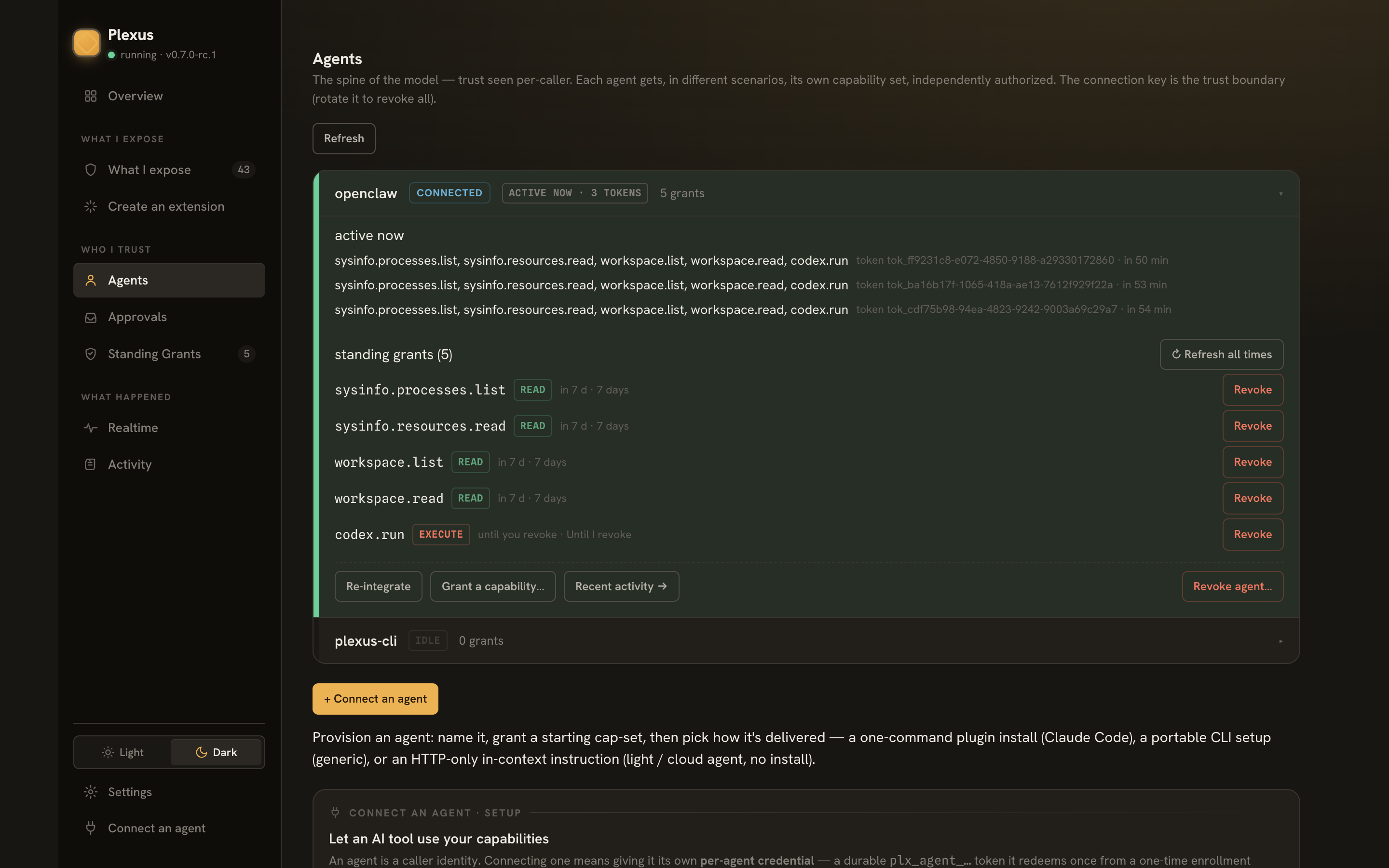
And the agent's row under Agents shows its authorized subset and standing grants — revoke any single grant, or the whole agent, at any time:
Where to go next
- Connect an agent — all three delivery forms in depth.
- The security model — why reads stand, writes pend, and execute needs your explicit opt-in.
- Watch the trust loop — the same loop, narrated end to end.